


Before pressing spin in NIGHT MARKET, identify the stake, the symbol rules and the fields that report the result. This cc6 walkthrough introduces the original FA CHAI Gaming game through those practical steps, making its bright street-market interface easier to follow.
The artwork supplies the atmosphere, while the surrounding labels explain the action. Treat the reel window as the result area and the lower panel as the place to check the financial values associated with it.
Step 1: Find the Total Bet
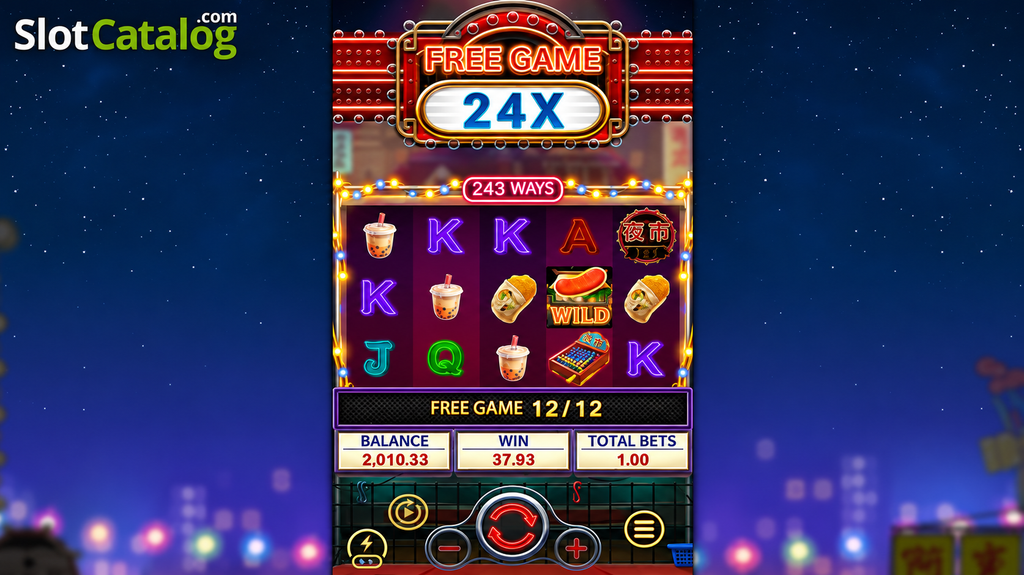
The supplied base-game image separates BALANCE, WIN and TOTAL BETS. They describe different quantities. Balance is the available amount shown by the game; total bet identifies the selected stake; win reports an award according to the interface’s reporting behavior.
| Field | Check before continuing |
|---|---|
| BALANCE | The amount available in the displayed currency or credits |
| TOTAL BETS | The total stake associated with a spin |
| WIN | The award currently reported by the game |
| Plus and minus controls | How the selected stake changes when adjusted |
If a game uses credits, check their denomination before interpreting a number as pesos. For cc6 readers, the total-bet display is the most useful final confirmation after adjusting a stake control.
Step 2: Read the Symbols Before the Animation
Open the paytable and connect each picture with its rule. Ordinary symbols form paying combinations; special symbols may substitute or activate a separate feature. Their functions should be identified from the rules, rather than inferred from the size or brightness of the artwork.
Step 3: Understand the Ways Indicator
NIGHT MARKET displays 243 WAYS above a five-reel, three-row board. This format counts qualifying combinations of positions instead of asking the player to follow individual drawn lines.
For a simplified example, suppose a matching symbol occupies two positions on the first participating reel, one on the next and three on the third. That arrangement contributes 2 × 1 × 3 = 6 position combinations, provided it satisfies the game’s rules. The example illustrates ways arithmetic; it is not a quoted symbol payout.
The cc6 learning sequence is to watch the highlighted symbols, identify the matching run and then compare it with the paytable entry. This connects the displayed win with the rule that produced it.
Step 4: Distinguish a Feature from a Normal Result
| Screen event | Useful next action |
|---|---|
| Ordinary symbol highlight | Identify the qualifying combination |
| Special-symbol animation | Read whether a feature has actually been awarded |
| Free Game entry message | Note the initial round award |
| Multiplier update | Check what award the multiplier applies to |
| Feature completion | Read the feature total before continuing |
Build Familiarity One Result at a Time
A preview session is useful for identifying controls and observing how the interface updates after a spin. It does not need to become a search for a particular winning sequence. This cc6 introduction gives the screen a clear reading order: verify the stake, follow the symbols, read the awarded result and notice when the game changes into a feature phase.